contrast-color()で背景色にあわせて適切な色を取得する
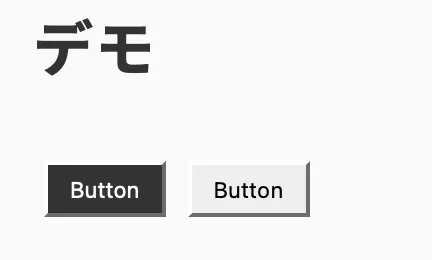
contrast-color()を使うことで、背景色にあわせてコントラスト比が適切な色(黒 or 白)を取得できる。
<button style="--bg-color: #333;">Button</button>
<button style="--bg-color: #eee;">Button</button>
button {
background-color: var(--bg-color);
color: contrast-color(var(--bg-color));
}デモ
WCAGに基づいたコントラスト比の計算
参考: 任意の背景色に対して読みやすい文字色を取得するSass functionを実装する | Black Everyday Company
WCAG(Web Content Accessibility Guidelines)に、2色のコントラスト比を計算する方法が書かれている。
contrast ratio
(L1 + 0.05) / (L2 + 0.05), where
- L1 is the relative luminance of the lighter of the colors, and
- L2 is the relative luminance of the darker of the colors.
relative luminance
the relative brightness of any point in a colorspace, normalized to 0 for darkest black and 1 for lightest whiteNote 1: For the sRGB colorspace, the relative luminance of a color is defined as L = 0.2126 * R + 0.7152 * G + 0.0722 * B where R, G and B are defined as:
if RsRGB <= 0.03928 then R = RsRGB/12.92 else R = ((RsRGB+0.055)/1.055) ^ 2.4if GsRGB <= 0.03928 then G = GsRGB/12.92 else G = ((GsRGB+0.055)/1.055) ^ 2.4if BsRGB <= 0.03928 then B = BsRGB/12.92 else B = ((BsRGB+0.055)/1.055) ^ 2.4and RsRGB, GsRGB, and BsRGB are defined as:
- RsRGB = R8bit/255
- GsRGB = G8bit/255
- BsRGB = B8bit/255
// 例 r: 50, g: 50, b:50
Rs = r / 255, Gs = g / 255, Bs = b / 255

R = Rs <= 0.03928 ? Rs / 12.92 : ((Rs + 0.055) / 1.055)**2.4
G = Gs <= 0.03928 ? Gs / 12.92 : ((Gs + 0.055) / 1.055)**2.4
B = Bs <= 0.03928 ? Bs / 12.92 : ((Bs + 0.055) / 1.055)**2.4

相対輝度(rl) = 0.2126 * R + 0.7152 * G + 0.0722 * B

白の相対輝度(lw) = 1
黒の相対輝度(lb) = 0

// (L1+0.05)/(L2+0.05): 輝度がL1>L2になるようにする
白のコントラスト比(cw) = (lw + 0.05) / (lr + 0.05)
黒のコントラスト比(cb) = (lr + 0.05) / (lb + 0.05)

// コントラスト比が大きい方の文字色を使う
textColor = cw < cb ? 'black' : 'white'